The reminder says “Finish the application.” You know the deadline and have opened the page more than once, but you cannot work out how to begin.
People sometimes call this ADHD task paralysis: feeling stuck when trying to begin, choose or organise an action. It is an informal term, not a separate medical diagnosis. Cleveland Clinic describes it as an experience of overwhelm and difficulty directing attention that some people with ADHD report. [1]
Try identifying what the task is asking you to decide. A list or reminder can then hold a clear first action.
Look at what is inside the task
“Finish the application” may contain several different jobs: find a reference number, locate a document, draft a paragraph, check dates and submit the form. A short task title can hide a substantial planning load.
Research also suggests that planning and remembering a plan are different demands. In a 2013 laboratory study of 45 adults with ADHD and 45 comparison participants, the ADHD group had difficulties with complex task planning, while recalling the plans was relatively preserved. This was not a study of productivity apps or a test of everyone who feels stuck. [2]
Ask what is missing: information, materials, a clearer instruction or help from another person. Naming the obstacle gives you something specific to address.
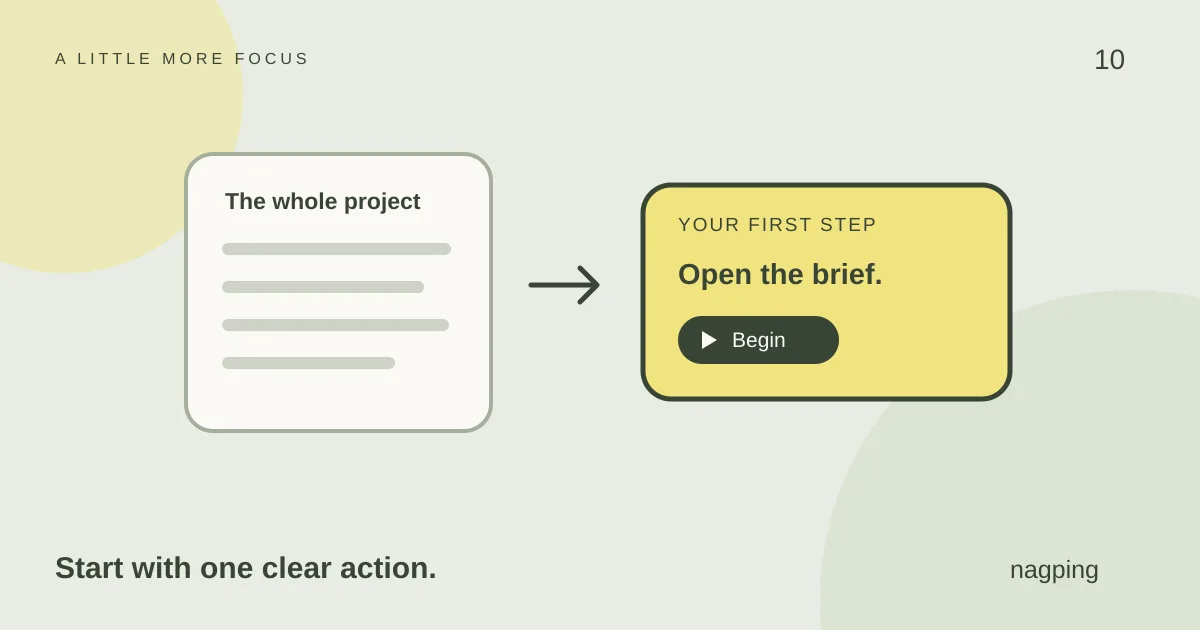
Replace the project label with a first action
Choose a step that describes something you can physically do. For example:
- “Prepare the presentation” becomes “Open the brief and write down the three questions the presentation must answer.”
- “Sort out the receipts” becomes “Put the receipts from my bag in one folder.”
- “Finish the application” becomes “Find the reference number in the confirmation email.”
After the first action, decide what comes next. If that step still contains too many decisions, make it more specific or ask someone to help define it.
Use the app to hold the next step
In nagping’s reminders view, create a reminder with that first action as its title. Add the relevant link or note, and give it a time when the materials will be available.
Keep the rest of the plan in a list or note. If you are unsure what to do, a more specific instruction may be more useful than a more frequent notification.
When you complete the first action, mark that reminder done. If the larger project remains unfinished, give its next action a place in the list.
Try a short session with a modest goal
Cleveland Clinic’s practical guidance includes giving tasks a defined start and stop time. [1] You can use that idea as an experiment with a small piece of work.
Open nagping Focus and choose a Timebox for a duration that feels manageable, perhaps five or ten minutes. Set an aim such as “Find the reference number and paste it into the form.” The duration is a personal trial, not a treatment dose or a test of willpower.
When the session ends, notice what happened. If you made progress and want to continue, make that a deliberate choice. If you stopped at a missing detail, write down what is needed. If the session felt too demanding, adjust the task or ask for help.
Use a standalone timer if you simply want to measure a short work period.
Make returning easier after an interruption
Before switching away, leave a note that tells you where to resume. “Application still unfinished” repeats the problem. “Next, enter the reference number in section two” gives you an instruction.
Put that instruction in the reminder note and reschedule if you need a different time. If you only need a brief delay, snooze. Our reminder setup guide explains the difference between these controls.
Use daily, weekday or weekly recurrence if a regular review helps you clarify unfinished tasks and choose what to do next.
Make room for help from people
An app cannot resolve every obstacle. Oxford Health NHS Foundation Trust suggests asking for help with difficult tasks and considering working alongside another person, sometimes called body doubling. [3] For example, you could agree to spend a short period on paperwork together, with each person working on their own task.
If difficulty starting is persistent or significantly affects your life, a qualified healthcare professional can help assess the problem and discuss support. Feeling stuck alone does not establish an ADHD diagnosis. [4]
For related challenges, explore our guides to ADHD forgetfulness and reminders and making time easier to see. Choose the approach that matches the part you find difficult.
Begin with a task that matters to you
Choose one unfinished responsibility. Write its next observable action, gather what you need and try a short Focus session in nagping.
Guest mode lets you explore the browser app without signing in; guest items stay in that browser. For browser alerts, keep the app open and device awake and check notification permissions. Delivery can be delayed by browser restrictions. [5]
Nagping is a general productivity tool, and these examples are ways to organise a task. They are not evidence that the app treats ADHD or guarantees that a difficult task will become easy.
Sources
- Cleveland Clinic: Feeling Stuck Here Is How to Overcome ADHD Paralysis. 9 October 2023.
- Fuermaier ABM and colleagues: Complex Prospective Memory in Adults with Attention Deficit Hyperactivity Disorder. 2013.
- Oxford Health NHS Foundation Trust: Performance mindset Strategies. Accessed 21 October 2026.
- NHS: ADHD in adults. Reviewed 19 March 2025.
- nagping: Features and frequently asked questions. Product details checked 21 October 2026.