One card is due near the end of the month, another just after payday, and a third has a statement you still need to check. Keeping all of those dates in your head gets complicated quickly.
If you are looking for monthly reminders for multiple credit card dues, start with one Credit Cards list and a separate reminder for each bill. Each reminder can hold the card name, the payment deadline and the next action you need to take.
Current Nagping availability: as of 22 October 2026, the web app supports daily, weekday and weekly repeats, but not an automatic monthly repeat. The workflow below uses dated reminders that you create for each new statement, with an optional weekly review to help you keep the list current.
Keep the statement date and payment due date separate
The bill generation or statement date tells you when that billing period’s statement is issued. The payment due date is the deadline shown on that statement. These serve different purposes; the CFPB’s explanation of credit-card grace periods also distinguishes the end of a billing cycle from the payment deadline. [1]
A card’s expiry date or annual renewal date is a separate event. For monthly credit card payment reminders, use the payment due date on the latest statement.
1. Create a Credit Cards list under My Lists
- Open Nagping and find My Lists in the sidebar.
- Select New list.
- Enter Credit Cards in the List name field, then select Create list.
- Open that list before adding your reminders.
This gives every card a consistent home. You can review the whole set without searching through unrelated tasks.
2. Add one reminder for each card’s bill
Select New reminder. In What do you want to remember?, write an action and enough detail to identify the card.
For example: Pay Bank A rewards card 4821, November bill.
Use your bank name and card nickname. The last four digits are optional and can help distinguish two cards from the same bank. A full card number is unnecessary; leave card security codes, PINs and banking passwords out of reminder titles and descriptions.
Check that the List field is set to Credit Cards. Make a separate reminder for each card so that completing one payment does not hide the others.
3. Choose when you want the reminder
Use Date and Time to choose when you want to take action. You might choose a day before the deadline when you can review the bill and arrange payment. Check your issuer’s payment cutoff and processing time when deciding how much notice you need.
Keep the actual payment deadline in the description if your reminder is earlier. For example, a reminder on 24 November might say Payment due: 27 November 2026. The reminder date is your planned action date, not a change to the bank’s deadline.
4. Put the statement details in the description
Use Description (optional) for the information you would otherwise need to look up again. Here is a template to adapt to your current statement:
- Card: Bank A rewards card, ending 4821
- Statement issued: 6 November 2026
- Payment due: 27 November 2026
- Statement total: enter the amount and currency from this statement
- Payment plan: record your intended action or existing autopay arrangement
- Next action: review the statement, arrange payment, then check confirmation
If you also record the minimum payment, label it separately from the statement total. Update amounts and dates for each new bill. Nagping does not connect to your bank or fetch statements, calculate your card’s billing dates or make payments.
A date written in the description is a note, not a scheduled alert. If you want a separate prompt to check for a newly generated statement, create another dated reminder for that action.
5. Save the reminder, then repeat for your other cards
For each bill, leave Repeat set to Doesn’t repeat and select Create reminder. If you want follow-up alerts for that same bill, choose an appropriate interval under Nudge me. That setting repeats the alert for the current item; it does not schedule next month’s bill.
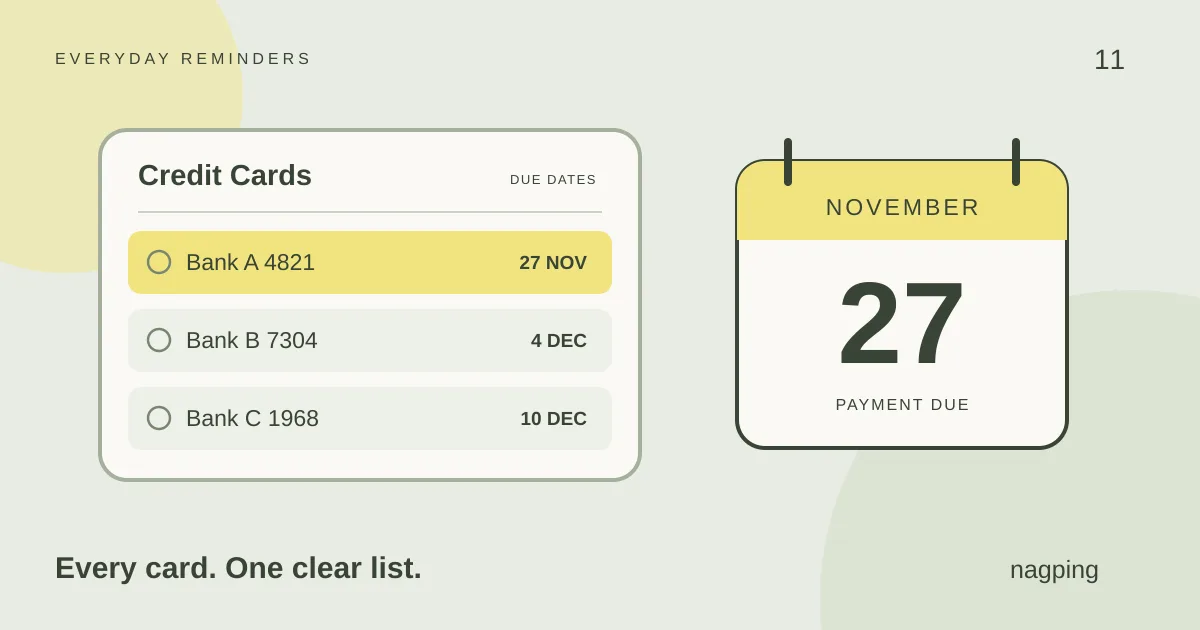
Here is how three fictional cards could look. The three-day lead time is only an example, not a payment-processing rule.
| Card | Reminder date | Payment due |
|---|---|---|
| Bank A 4821 | 24 Nov 2026 | 27 Nov 2026 |
| Bank B 7304 | 1 Dec 2026 | 4 Dec 2026 |
| Bank C 1968 | 7 Dec 2026 | 10 Dec 2026 |
The CFPB lists electronic reminders and automatic payments as approaches that can help people keep payments on time. [2] A useful reminder tells you which bill needs attention and what to do next.
How do I keep credit card reminders going every month?
When each new statement arrives, confirm its dates and amount, then create the next bill’s reminder in the same list. After checking that a payment has been received by the issuer, mark that bill’s reminder Done. Completing it does not create a reminder for the next month.
For a regular check-in, create a separate reminder called Review my Credit Cards list and select Every week under Repeat. Use it to check for new statements, add missing bill reminders and review upcoming payments. A weekly review is a housekeeping task; it does not replace each card’s exact due date or provide automatic monthly recurrence.
You can also open Calendar to see your scheduled reminders alongside other plans. Our guide to reminders, snooze and repeat settings explains how the controls work.
What if my credit cards already use autopay?
Name the reminder for the action you actually need, such as Check Bank A autopay and available funds. Keep the bank’s scheduled payment date in the description and verify the payment afterwards. The CFPB advises monitoring your balance and checking the amount and timing of automatic payments. [3]
Start with the next bill you need to handle
Open your latest statement, create your Credit Cards list in Nagping, and add one clearly named reminder. Once it is saved, add the next card.
For web alerts, keep the app open and your device awake, and allow browser notifications. Browser restrictions can delay alerts, so keep your issuer’s own payment notifications enabled too. See our notification and availability FAQs for details.
Sources
- Consumer Financial Protection Bureau: What is a grace period for a credit card? Reviewed 23 September 2024.
- Consumer Financial Protection Bureau: How do I get and keep a good credit score? Reviewed 12 December 2024.
- Consumer Financial Protection Bureau: How do automatic payments from a bank account work? Reviewed 28 August 2026.